iOS App
Currency Converter + Widgets

Currency Converter + Widgets

One amount. Three currencies. Instantly.

Set a home currency and three favorites, then type one amount and see all three conversions at once. Flip it to read a local price back in your own money. Plus 140+ currencies, units, offline rates, and home screen widgets.

Download on App Store Learn More
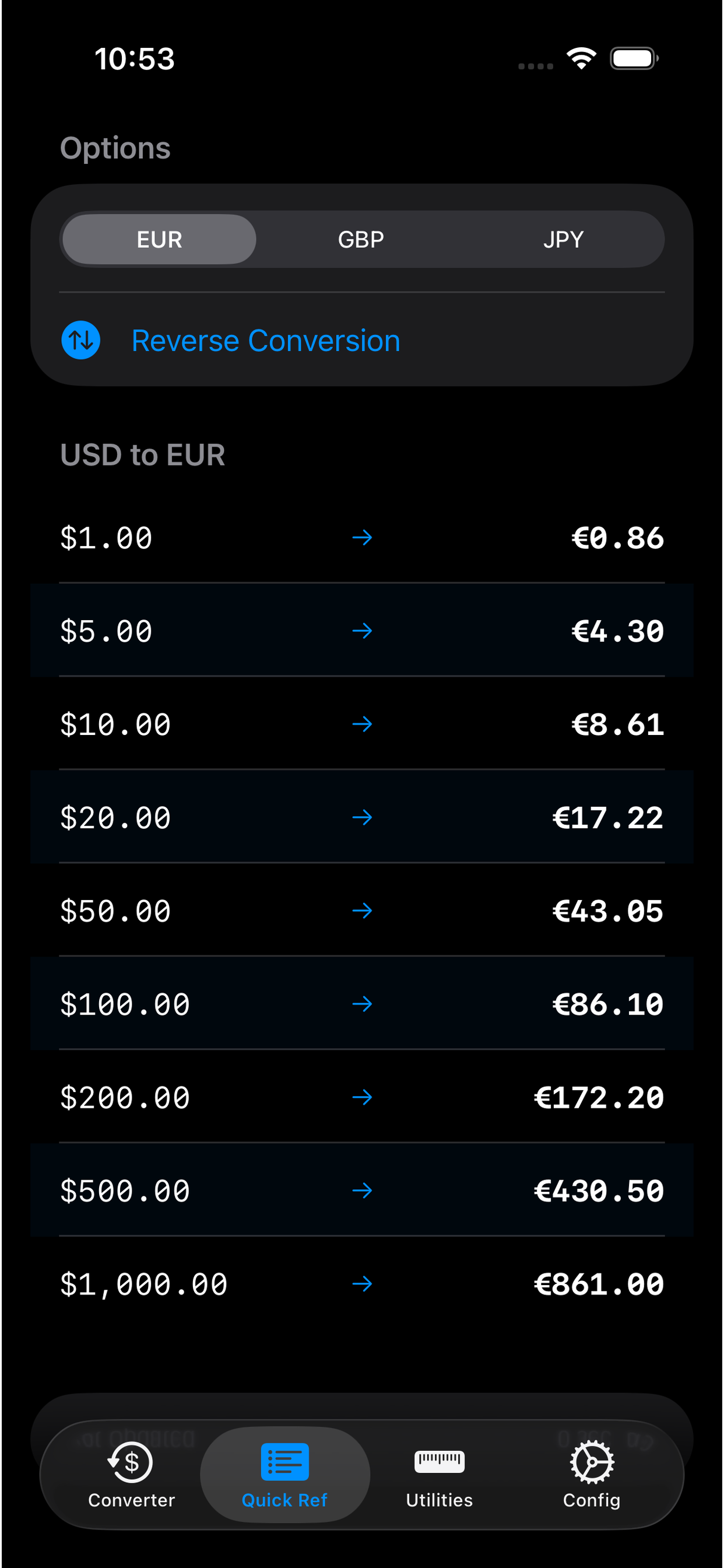
Converter tab converting 100 US dollars into euros, pounds, and yen at once Configuration screen with home currency set to US dollars and favorites euro, pound, and yen Quick Ref table of common USD amounts converted to euros One-to-one currency converter, 20 US dollars to Japanese yen Home screen widgets showing USD amounts in three favorite currencies Home screen widget with local time and weather for three cities

Convert your home currency into three favorites at once

Set a home currency and three favorites. Type an amount, see all three. That's the part most converters skip.

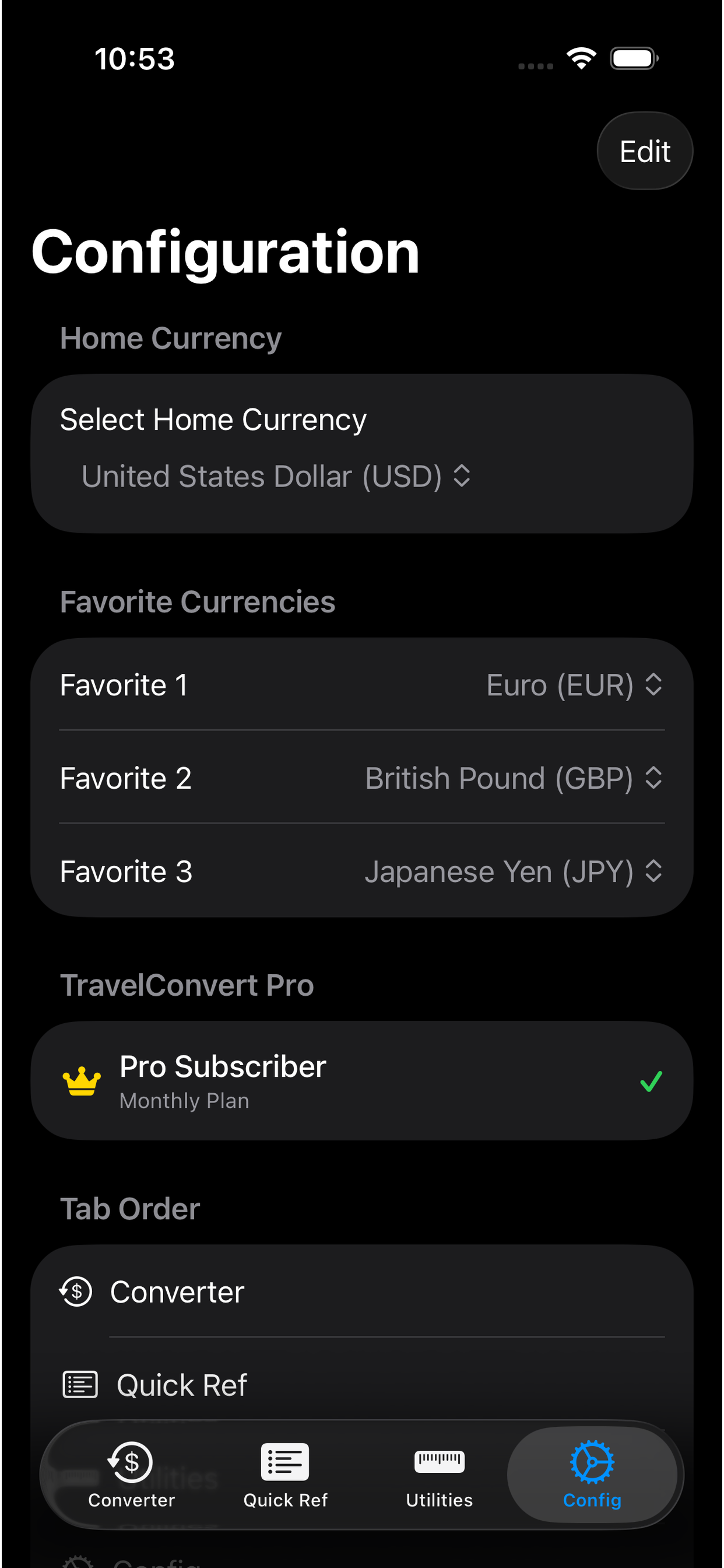
Config screen with home currency United States Dollar and favorites Euro, British Pound, and Japanese Yen
Home currency and three favorites. Set once, then leave it.
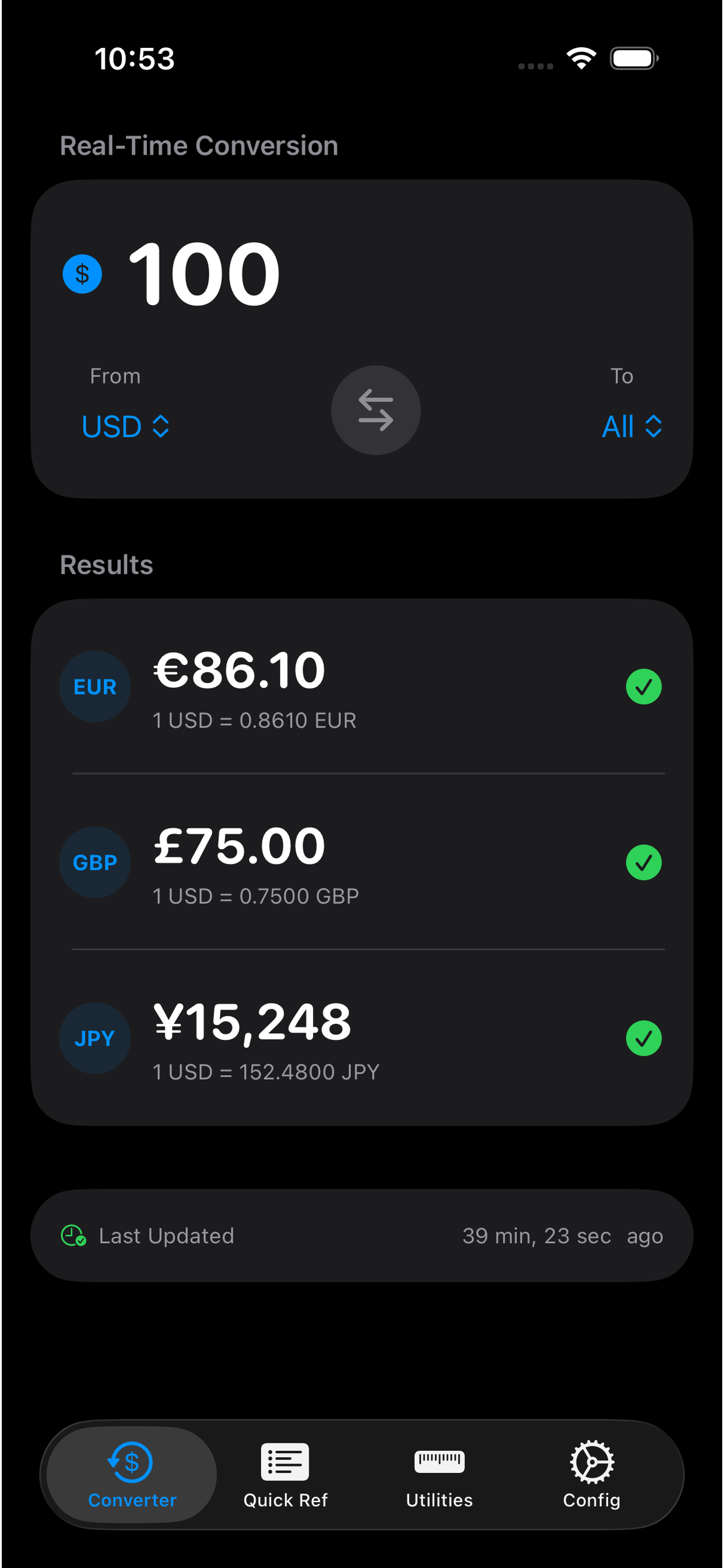
Converter tab with From USD to All, showing 100 dollars as 86.10 euros, 75 pounds, and 15,248 yen
One amount, three currencies. Same screen.
Step 1

Home currency

The one you already use. Dollars if that's what your bank account is in. Euros, pounds — whatever you live in.

Step 2

Three favorites

The ones you'll spend on the trip. Euro, pound, and yen is a typical mix. Swap them out when the itinerary changes.

Step 3

Type an amount

All three conversions show up together. Same number, three answers, no extra tapping.

Works the other way too

Reverse it and a price in euros, pounds, or yen comes back in your home currency. Handy when you're staring at a menu, not a price in dollars.

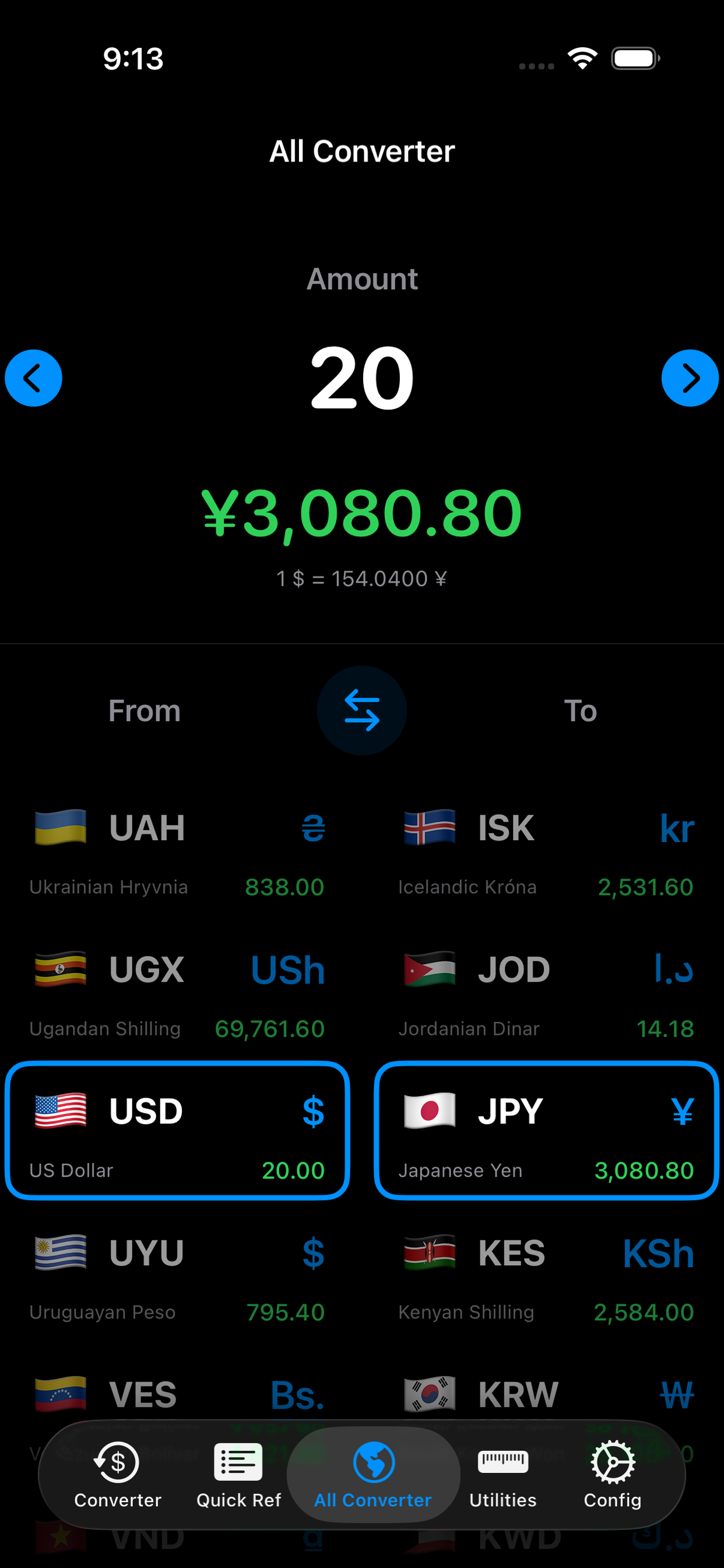
One-to-one currency converter converting 20 US dollars to Japanese yen

Need a regular converter?

Home and favorites aren't the only mode. There's a plain 1-to-1 converter too — pick any two currencies, type an amount, done. Useful when you hit a currency that isn't one of your three.

Why Travelers Love It

Home Currency + 3 Favorites

Set a home currency and three favorites, type an amount, see all three. Reverse it for local prices. There's also a regular 1-to-1 converter when you just need any two currencies.

Real-Time Rates

Live exchange rates for over 140 currencies. Rates update automatically so you always get the best deal.

Offline Mode

No internet? No problem. Currency Converter caches the last known rates so you can convert prices anywhere, anytime.

Calculator Built-in

Do math directly in the converter. Add up your shopping list or split bills before converting to your home currency.

Unit Converter

Beyond money. Convert distance (km/mi), weight (kg/lb), temperature (C/F), and clothing sizes with the same ease.

Home Screen Widgets

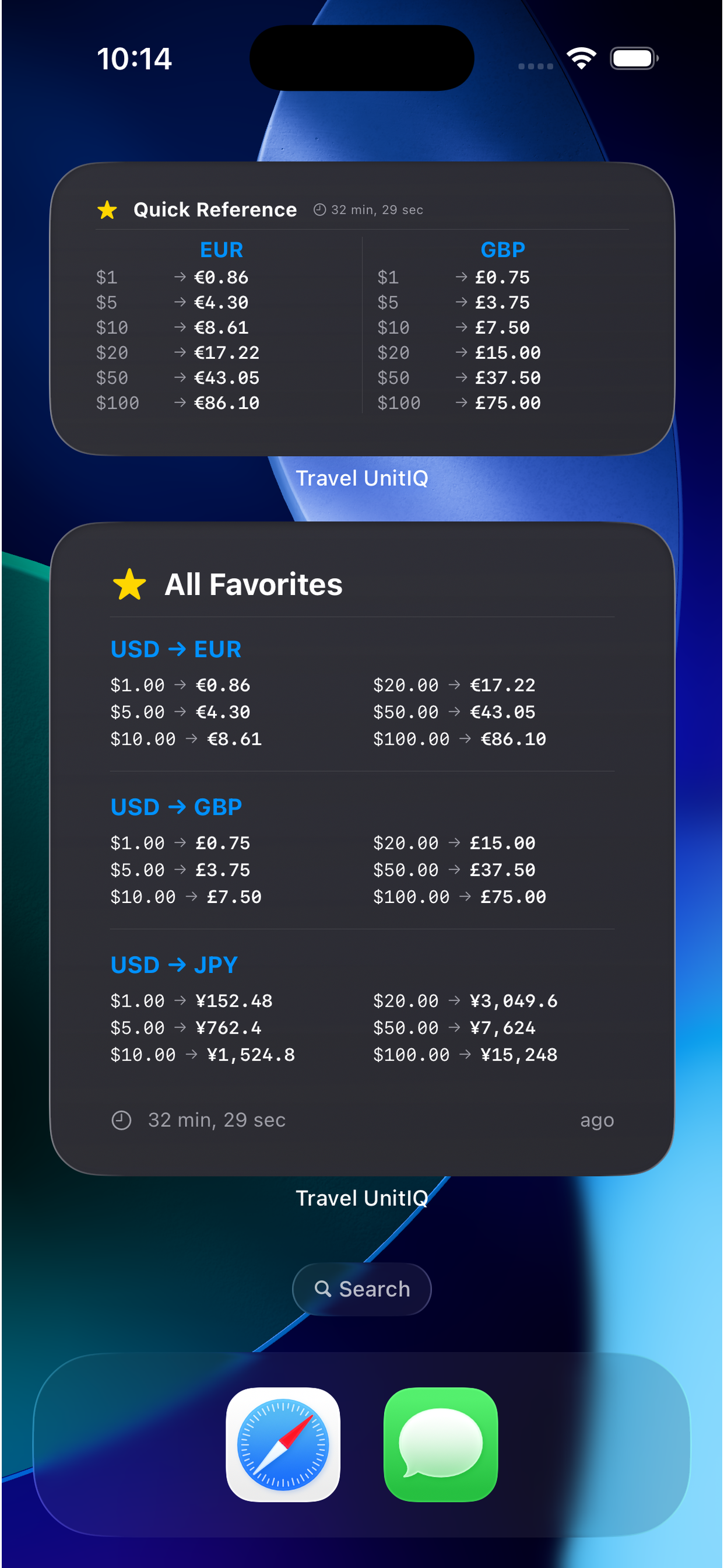
Keep your favorite currency pairs right on your home screen for instant access without even opening the app.
Common questions

How do I convert one amount into multiple currencies at once?

Set a home currency and three favorites. Type one amount on the Converter tab and the app shows all three conversions at once — for example $100 into euros, pounds, and yen.

What is a home currency in this converter?

Home currency is the money you think in — usually what you get paid in. Favorites are the three currencies you actually spend, such as euros, pounds, and yen on a multi-country trip.

Can I convert a foreign price back to my home currency?

Yes. Reverse the conversion and the same three favorites run the other way, so a price in euros, pounds, or yen becomes an amount in your home currency.

Does this iOS currency converter work offline?

Yes. The app caches the last known exchange rates, so you can convert prices in a shop, taxi, or on a plane without a signal.

Simple, Affordable Pricing

Get full access to all features with a one-time purchase.

Lifetime Access

$1 once

Pay once, own forever. All features included with lifetime updates.

Get Currency Converter